 East DelhiEnquire now ↗
TGC Animation & Multimedia · Nirman Vihar
UI UX Course in East Delhi
Learn how websites, apps and digital products are planned, designed and tested through user research, wireframes, interface design, Figma and interactive prototypes.
Learn by
building.

What is UI/UX design?
UI—User Interface—covers how a digital product looks and responds through screens, type, colour, components and visual states. UX—User Experience—covers how users understand the product, move through it and complete tasks. The two work together across websites, mobile apps, dashboards and digital platforms.
What is the difference between UI and UX?
A quick side-by-side view of the two connected parts of product design.
The interface
The product path
How does a digital product get designed?
Research and structure come before polished screens. Testing then checks whether the path works for people.
What will you learn?
TGC’s published UI/UX syllabus moves from understanding users to designing, testing and presenting digital products.
UI/UX foundations
User research
Personas
Information architecture
User flows
Wireframing
Interface typography
Digital colour systems
Responsive layouts
Components
Prototyping
Usability testing
Interaction design
Case-study writing
Portfolio presentation
UI/UX tools you'll work with
Figma and Adobe XD are named in TGC’s published UI/UX course material. The current East Delhi batch will confirm the final tool mix.
Figma
Wireframes, screens, components, auto layout, design systems, interactive prototypes and handoff.
Adobe XD
Screen design, connected prototypes and interface flows where included in the chosen route.
Find your class
Course search
Choose a batch
Weekday / Weekend
Design interfaces and prototypes with Figma
Use Figma to move from rough wireframes to responsive screens, reusable components, auto layout, design-system rules and a connected prototype that can be tested before development.
Ask about Figma training ↗UI/UX projects need a clear case study
The current public TGC material does not attach East Delhi student names and project records to individual UI/UX screens. Credited work will be added only after the centre supplies the project title, student name, platform and tools.
Ask to see current UI/UX work ↗Show the process, not just the final screen
A UI/UX case study should explain why the design changed—not only display polished screens.
UI UX course curriculum
This module order follows TGC’s published UI/UX syllabus. Admissions will confirm the exact plan for the East Delhi batch.
01Introduction to UI/UX+
UI and UX roles, digital-product thinking, user needs and examples of clear or confusing design.
02User research+
Interviews, surveys and observation used to identify user goals, needs and pain points.
03Personas & journeys+
Organising research into user profiles, empathy maps and a journey through the product.
04Information architecture+
Content structure, card sorting, navigation, sitemaps and screen hierarchy.
05User flows+
Mapping the steps a user takes to complete a task across screens and decision points.
06Wireframing+
Low- and mid-fidelity layouts for websites and mobile products before visual styling begins.
07Visual interface design+
Typography, colour, iconography, grids, layout and consistent screen patterns.
08Figma+
Frames, auto layout, components, variants, UI elements, collaboration and file organisation.
09Responsive design+
Interfaces planned for mobile, tablet and desktop screen sizes.
10Components & design systems+
Reusable components, states, UI kits and clear rules for product consistency.
11Interactive prototyping+
Connecting screens, actions, transitions and feedback into a testable product path.
12Usability testing+
Testing tasks, collecting feedback, spotting friction and revising the design.
13Portfolio case study+
Presenting the problem, research, flow, wireframes, design choices, final UI and prototype.
Learn UI/UX through design problems
TGC’s published material includes app, website, dashboard and prototype work. The projects assigned to a student depend on the selected route and completed modules.
Ask about UI/UX projects ↗Who should join?
- Students after Class 12
- College students and graduates
- Graphic or web designers
- Aspiring UI or UX designers
- Developers adding design knowledge
- People interested in digital products
- Career changers
Career options after learning UI/UX
Career routes depend on your skills, portfolio, case studies, current openings and employer requirements.
Can you learn UI/UX after Class 12?
Yes. Students can start with design fundamentals, user thinking, flows, wireframes and interface design after 10+2.
Project work matters because UI/UX hiring reviews often ask for case studies. A case study shows how you understood the problem, arranged the path, tested the design and changed it after feedback.
Discuss the right route ↗UI UX or Graphic Design — which one should you choose?
Visual communication for branding, advertising, print and digital graphics.
Websites, apps, interfaces, user journeys and the way a digital product works for people.
Build UI/UX case studies for your portfolio
Present the problem, research, user flow, wireframes, design choices, final interface and prototype in one clear story. A reviewer should be able to see what you did and why.
Ask about portfolio review ↗Learn with TGC East Delhi UI/UX trainers
Named UI/UX trainer profiles are not currently published on the centre’s faculty page. Trainer assignment depends on the batch. Visit the centre to meet the assigned trainer and review the course plan.
Book a trainer discussion ↗Prepare for UI/UX careers
- Portfolio and case-study review
- Résumé support
- Interview preparation
- Placement assistance
- Job-opportunity sharing
- Career guidance
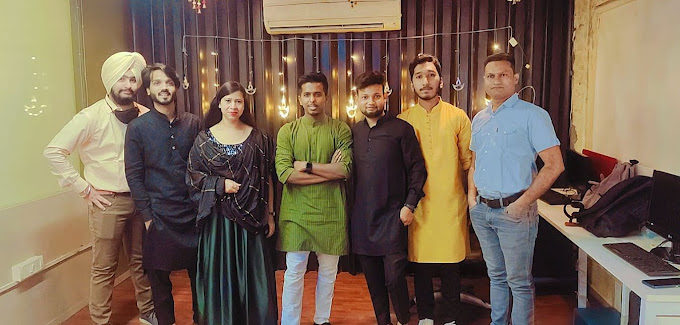
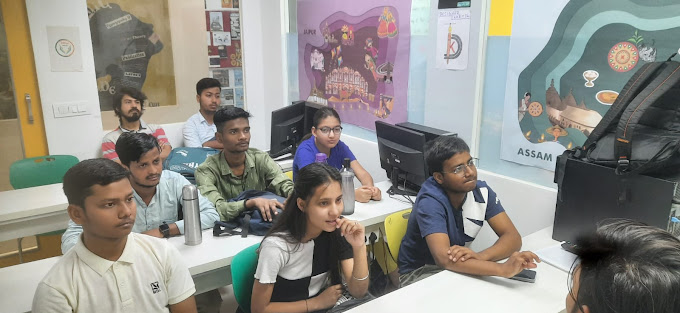
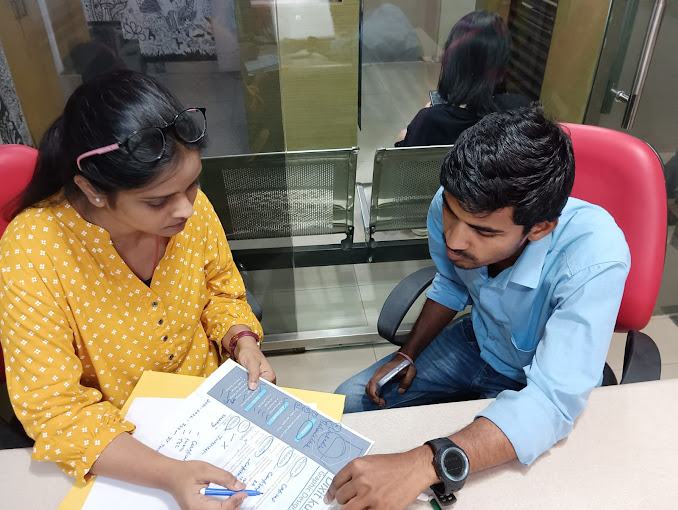
Inside TGC Nirman Vihar
Photographs published in the official TGC East Delhi centre gallery.

Why TGC East Delhi?
Check the current UI UX syllabus, assigned trainer, student work, batch plan and support at the real TGC East Delhi centre in Nirman Vihar before you join.
Real Nirman Vihar Centre
1st Floor, E-359, Vikas Marg, Nirman Vihar, Delhi – 110092
See the centre ↗Current Course Trainer
Ask who is assigned to the planned batch and discuss the teaching format before admission.
Plan a trainer discussion ↗Student Project Work
Review published project examples and ask which outputs belong to the current course plan.
See student work ↗Placement Assistance
Support may include portfolio or project review, résumé guidance, interview preparation and opportunity sharing. No job is guaranteed.
Read the support policy ↗Published Student Reviews
Read centre-linked student feedback and use a visit to check whether the learning setup suits you.
Read reviews ↗Visit Before You Decide
Nirman Vihar Metro Station is the nearest metro reference. Confirm the current batch timing before travelling.
Learn UI/UX at TGC Nirman Vihar
Students looking for UI/UX classes in East Delhi can attend classroom training at the TGC centre on Vikas Marg, near Nirman Vihar Metro Station.
TGC Animation & Multimedia1st Floor, E-359, Vikas Marg
Nirman Vihar, Delhi – 110092
UI UX students from across East Delhi
The Nirman Vihar centre is reachable from Vikas Marg, the Blue Line and nearby East Delhi neighbourhoods.
View all location guides ↗What do our students say?
Comments published by TGC East Delhi about the teaching and centre environment. They are not labelled as UI/UX reviews unless the source says so.
“The faculty and learning environment were excellent.”
“The course and faculty were good.”
“I learnt many different topics here.”
UI UX course FAQs
Direct answers for students comparing UI/UX classes and institutes in East Delhi.
What is the duration of the UI UX Course in East Delhi?+
TGC publishes regular and fast-track UI/UX formats, but the current East Delhi duration must be confirmed with the admissions team for your batch.
Can I learn UI UX after Class 12?+
Yes. Students can start with design fundamentals, research, wireframes, interfaces and prototypes after 10+2. Course selection should match the time and depth you need.
What is the difference between UI and UX?+
UI is the visual interface—screens, type, colour, components and states. UX is the product path—research, structure, flows, usability and task completion.
Is Figma taught in the UI UX course?+
Yes. Figma is listed in TGC’s published UI/UX syllabus for wireframes, interface design, components and interactive prototypes.
Will I work on UI/UX projects?+
TGC’s published training material includes apps, websites, dashboards and prototypes. The projects assigned at East Delhi depend on the selected program.
Will I create a UI/UX portfolio?+
Portfolio and case-study development are included in TGC’s published UI/UX direction. Your portfolio depends on the work you complete and document.
What is the difference between UI UX and Graphic Design?+
Graphic Design centres on visual communication for branding, advertising and media. UI/UX centres on websites, apps, interfaces, user flows and digital-product use.
Does TGC East Delhi provide placement assistance?+
Yes. Support may include case-study review, portfolio preparation, résumé support, interview practice and job-opportunity sharing. Employer selection remains independent.
Where is TGC East Delhi located?+
The centre is at 1st Floor, E-359, Vikas Marg, Nirman Vihar, Delhi – 110092.
Which metro station is closest to TGC Nirman Vihar?+
Nirman Vihar Metro Station on the Blue Line is the closest station.
Can I visit the centre before admission?+
Yes. Book a centre visit or demo discussion to see the classrooms and confirm the current course plan.
What career options are available after learning UI/UX?+
Possible roles include UI designer, UX designer, UI/UX designer, product designer, interaction designer and junior UX researcher. Roles depend on skills, case studies and current openings.
Do I need coding knowledge to learn UI/UX?+
TGC’s published UI/UX material focuses on research, design and prototyping. It does not state coding as an entry requirement. Ask admissions if your selected route adds web-development modules.
What is the fee for the UI UX course?+
The current fee depends on the selected format, duration and batch plan. Ask the Nirman Vihar admissions team for a written fee plan before admission.
Start learning UI/UX at TGC East Delhi
Ask about Figma, fees, duration, projects, the next batch, demo discussion and a centre visit in Nirman Vihar.